Last checked: 13 October 2026, against both plugins’ WordPress.org readmes (Media Purge 1.4.6, Media Cleaner 7.3.1) and meowapps.com.
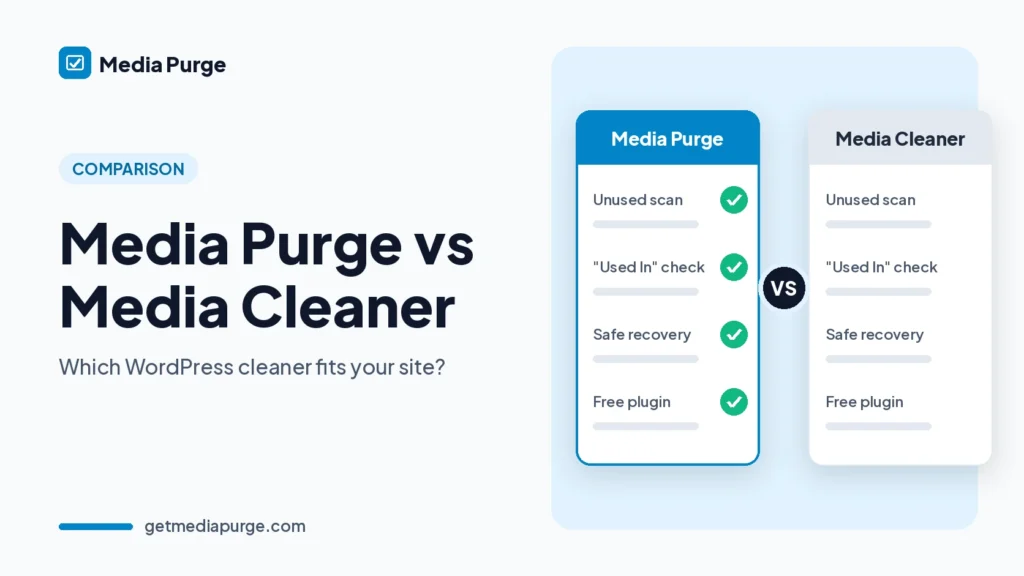
Both plugins find unused media in WordPress and move it to an internal trash before anything is permanently deleted. The biggest difference is what you get for free. Media Purge scans Elementor, Divi, WPBakery and Beaver Builder in its free version. Media Cleaner includes support for those builders in Pro. In return, Media Cleaner has a far larger user base, and its Pro version adds a filesystem scan and WP-CLI.
Quick comparison
| Feature | Media Purge (free) | Media Cleaner (free) | Media Cleaner Pro |
|---|---|---|---|
| Find unused media in the Media Library | Yes | Yes | Yes |
| Internal trash before permanent delete | Yes, 30 days by default (adjustable) | Yes | Yes |
| Restore from trash | Yes, one click (Recovery tab) | Yes | Yes |
| Elementor, Divi, WPBakery, Beaver Builder scanning | Yes, free | Pro | Yes |
| ACF, Metabox, Avada, Oxygen, Brizy, Slider Revolution | Not listed (use Whitelist) | Pro | Yes |
| WooCommerce product images and galleries | Yes | Yes | Yes |
| “Used In” list per file, with edit links | Yes | Not listed | Not listed |
| Duplicate image finder | Yes (byte-identical, view only; merge planned) | Not listed | Not listed |
| CSV export of unused files | Yes | Not listed | Not listed |
| Filesystem scan (files not in the Media Library) | No | No | Yes |
| Live site scan | No | No | Yes |
| WP-CLI | No | No | Yes |
| AI assistant control (MCP via AI Engine) | No | Yes | Yes |
| Broken entry fixing | No | Yes | Yes |
| Scan limits | None | Not listed | Not listed |
| Multisite | No (planned) | Not listed | Not listed |
| Price | Free | Free | From $39/year |
| Active installs (WordPress.org, 12 Oct 2026) | 30+ | 90,000+ | — |
When Media Purge is the better fit
- Your site is built with Elementor, Divi, WPBakery or Beaver Builder, and you don’t want to pay just so builder images are detected as in use.
- You want to see why a file counts as “used”. Every file shows a Used In list (for example, Featured Image in “About Us”) with a link to edit that post.
- You also have duplicate uploads. Media Purge groups byte-identical files by MD5 hash and shows how much space each group wastes. See our guide to finding duplicate images in WordPress.
- You report to clients. Export the unused list to CSV.
When Media Cleaner is the better fit
- You need a filesystem scan for files in /uploads that aren’t in the Media Library (Pro).
- You rely on ACF, Metabox, Avada, Oxygen, Brizy or Slider Revolution (Pro support).
- You need multisite or WP-CLI automation. WP-CLI is in Pro, and Media Purge is single-site only for now.
- You want the most widely used option, with 90,000+ active installs.
How a cleanup works in Media Purge
- Scan. It checks post content, post meta, widgets, customizer settings, WooCommerce galleries and page builder data. The scan is read-only.
- Review. Every file shows its size and a Used In list.
- Trash. Files go to the plugin’s own trash, not a permanent delete.
- Restore. One click from the Recovery tab during the retention period.
The full flow is on How it works. Whichever plugin you use, take a backup before you permanently delete files. For the manual side of the job, read how to find unused images in WordPress. For a shorter overview of other options, see our Media Cleaner alternative page. We also compare Media Purge with Media Hygiene and WP Media Cleanup.
FAQ
Is Media Purge a free alternative to Media Cleaner Pro?
For page builder scanning, yes. Elementor, Divi, WPBakery and Beaver Builder are scanned in Media Purge’s free version. It doesn’t offer Media Cleaner Pro’s filesystem scan, live site scan or WP-CLI.
Can I use both plugins?
You can run them one at a time to compare scan results. Don’t trash files with both at once, because each plugin keeps its own trash.
Does Media Purge delete files permanently?
Not until you choose to. Files stay in the internal trash for 30 days by default (adjustable). They’re deleted only when you click Delete Permanently or when the retention period ends.
Does Media Purge find duplicate images?
Yes. It groups byte-for-byte identical files regardless of filename. Resized or edited copies aren’t treated as duplicates. One-click merge is planned and not available yet.
What if a theme uses an image the scanner can’t see?
Click Keep to whitelist it, and it will never be flagged again.
Does Media Purge work on multisite?
Not yet. It supports single-site installs, and multisite support is planned.
Prefer the details first? See all Media Purge features.